

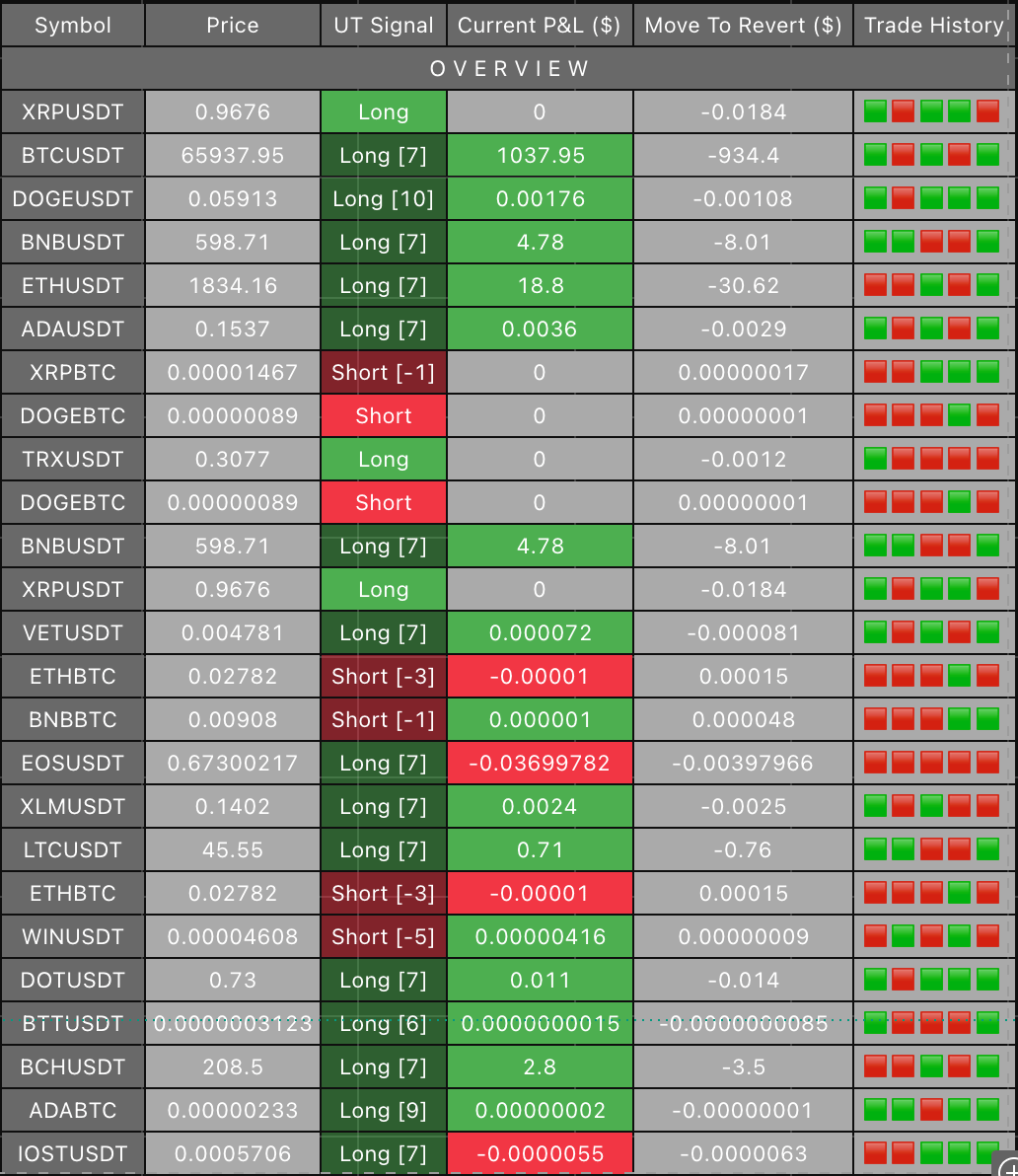
The Screener table with the default columns and symbols
Market scanning
Choose up to 40 symbols and the UT Bot parameters to apply. The Screener calculates UT Bot signals and metrics for each symbol on the selected timeframe.The Screener has its own UT Bot inputs (Key Vaule and ATR Length). It doesn’t read UT Bot Pro’s settings, so set both scripts consistently if you use them together.
How it fits with UT Bot Pro
Use the Screener to find UT Bot setups across many markets, then open a symbol with UT Bot Pro to analyze it in depth.Start here
1
Subscribe and install
The Screener comes with a UT Bot Suite subscription. See Getting Access and Installation.
2
Choose your symbols
Replace the default crypto pairs with the instruments you trade. See Symbols.
3
Read the table
See Reading the Table.
4
Filter, sort, and alert
See Filtering & Sorting and Alerts.